APA Scorekeeper
3.7 432.00 Reviews
Analysis By AppCompare
Keeping an accurate pool score sounds simple until a league night gets busy. Players are breaking, teammates are talking, racks are changing, and someone still has to remember exactly what happened. APA Scorekeeper is built for that specific job: it is the official scoring app associated with the APA and CPA Pool Leagues, developed by American Poolplayers Assoc. I found its appeal less in flashy extras and more in turning a paper scorekeeping task into a guided digital routine.
That narrow purpose is important. This is not a general pool-training app, a billiards rules encyclopedia, or a social platform for finding opponents. It is a sports app focused on recording league match information. If you already play in an APA or CPA setting, that focus can make the evening easier. If you only play casual games at home or in a bar, much of what makes it useful may not matter to you.
Why the scoring capability matters during a real league match
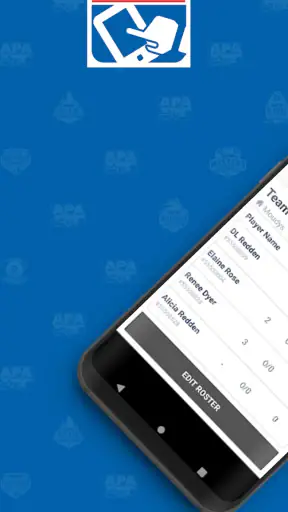
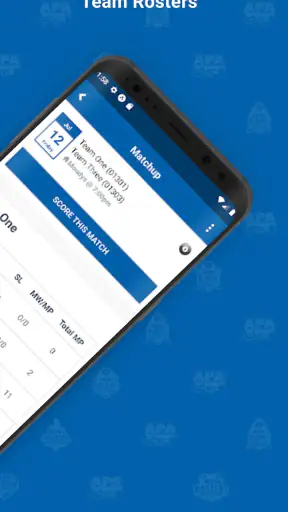
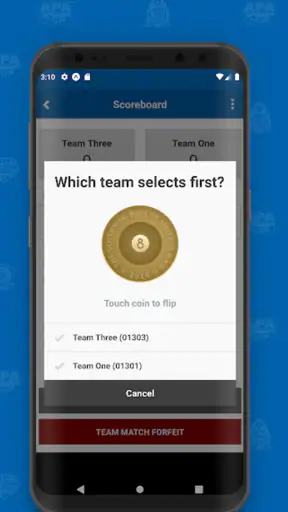
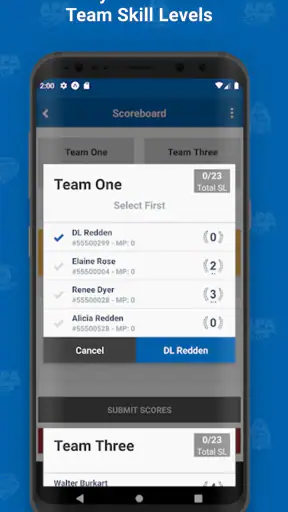
The central capability is digital scorekeeping for APA and CPA league play. In practice, that means the app is intended to replace the handwritten sheet or informal notes used to track a match. The benefit is not merely that the score appears on a phone. The real benefit is that the person recording the match has a single place to follow the scoring process instead of trying to reconstruct it later from memory.
That distinction matters in a handicap-based league environment, where an incorrect entry can affect more than one rack. A paper sheet can be perfectly adequate when everyone is calm and the scorer is familiar with the process. It becomes less comfortable when the match is moving quickly, several people are giving instructions, or a teammate needs to take over midway through the evening. A dedicated scorekeeper gives the task a clearer home.
I also like that the app’s identity is tied to league scoring rather than generic tallying. A basic notes app can record numbers, and a calculator can help with arithmetic, but neither is designed around the rhythm of organized pool matches. That difference is easy to overlook before using a specialized tool. The value appears when you want the record to remain understandable after the immediate moment has passed.
Its store summary describes it as the official scoring app of the APA and CPA Pool Leagues. I would treat that as a reason to consider it for league administration, not as a promise that it will improve your shot-making. It does not replace practice, coaching, or a strong understanding of your local team’s responsibilities. It simply addresses the administrative side of playing.
What I would prepare before opening it
The smoothest experience starts before the first break. I would make sure the phone has enough battery, keep the screen easy to read in the room, and decide who is responsible for entering the score. Passing the phone around can create more confusion than it solves. One person should ideally own the recording job while another teammate confirms important entries aloud.
This is one of the less obvious lessons with a scoring app: the device does not remove the need for a human process. It works best when the team agrees on who is watching the match and who is entering information. If everyone assumes someone else is handling the phone, the app cannot rescue an unrecorded moment. A short pre-match agreement prevents that problem.
I would also avoid treating the app as a place to experiment for the first time during a tense match. A quiet practice run, using the app’s available scoring flow without relying on the result for an official night, can help a new scorer understand where each entry belongs. The goal is not to memorize every screen. It is to become comfortable enough that the phone does not distract from the table.
How the scoring workflow feels in practice
The app’s usefulness comes from creating a repeatable sequence. Instead of writing scattered marks and translating them later, the scorer can work through the match in the same general way each time. That consistency is especially helpful when a substitute scorer takes over. A shared routine is easier to hand off than a page full of personal abbreviations.
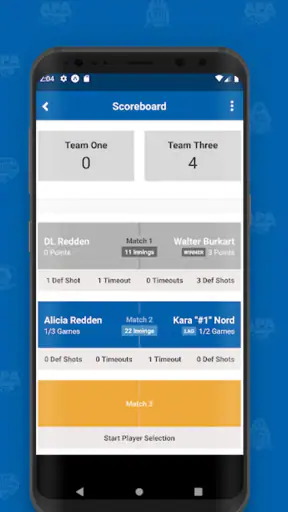
In a realistic league-night scenario, I would picture one player finishing a rack while the scorer confirms the result before moving on. The scorer enters the outcome, checks that the displayed information matches what the team expects, and then returns attention to the table. That small confirmation step is worth keeping. Digital entry feels authoritative, but a wrong tap is still a wrong tap.
The best workflow is therefore not “enter everything as fast as possible.” It is “enter one event, verify it, and continue.” That approach reduces the risk of building a clean-looking record around an early mistake. It also makes it easier to notice when the app is showing something unexpected, rather than discovering the problem after the match has ended.
Another practical advantage is continuity. A handwritten sheet can be misplaced, folded, smudged, or difficult for another person to interpret. A phone-based record is easier to view while the match is still underway. I would still encourage the team to follow whatever reporting habits its league or local division expects, but the app gives the scorer a more organized working surface than loose notes.
There is a trade-off here. A phone is more precise-looking than paper, but it introduces a device into an environment where phones can be distracting. Notifications, a dim screen, accidental touches, or a poor viewing angle can interrupt the job. I would put the device on a stable surface, silence unrelated alerts, and keep the scorer’s attention on the match rather than assuming the app itself guarantees accuracy.
The strongest use case: a busy team match
APA Scorekeeper makes the most sense for a team that regularly plays organized APA or CPA matches and wants a consistent way to handle scoring. The strongest scenario is a busy night when the scorer is not also able to concentrate fully on every conversation around the table. In that environment, a dedicated scoring flow can reduce the mental load of remembering what happened and how it should be recorded.
Imagine a teammate is playing while two others are preparing for later matches. The scorer has to follow the current rack, listen for the result, and keep the record moving without relying on a sheet that may be passed between people. The app gives that person one defined task: record the match as it unfolds. It does not eliminate interruptions, but it makes the responsibility clearer.
This is also where the app can help a captain or regular scorer establish a team habit. New players may not know the team’s preferred way to record a match. Showing them the same app and the same confirmation routine gives everyone a common reference point. That is a practical benefit that is easy to miss when judging the app only by its short store description.
For a small group that plays only occasional friendly games, the calculation is different. A pencil and a scrap of paper may be faster, particularly if nobody needs a formal league record. The app’s specialized purpose becomes worthwhile when the match is part of a recurring structure and the score needs to be handled consistently rather than casually.
Where it can create friction
The focused design is both its strength and its limitation. Because the app is aimed at APA and CPA league scoring, it is not the obvious choice for every pool player. Someone looking for drills, cue-ball control lessons, tournament discovery, live match commentary, or a broad player community should look elsewhere. Installing it will not turn a casual table into a complete digital pool hub.
I would also be cautious if your main need is flexible custom scoring. A generic spreadsheet or notes tool may be better when you want to design your own format, track informal side games, or record details that fall outside the league workflow. Those alternatives are less specialized, but their flexibility can matter more than having a purpose-built scorekeeper.
The phone itself is another consideration. A scorer who dislikes using a device at the table may find paper less intrusive. Some players also prefer a visible sheet that everyone can glance at without asking for the phone. Digital records are tidy, but they can feel less communal when only one person is holding the screen. My advice is to use the app as the central record while still communicating the score verbally when the team needs shared awareness.
The public response is reasonably mixed rather than universally enthusiastic: the app carries a 3.7 average from around 840 ratings, with roughly 432 written reviews. I read that as a sign to keep expectations practical. It is useful enough to have a substantial audience, but a scorekeeper is judged harshly when a single entry feels unclear or inconvenient. Your experience will depend heavily on whether its scoring flow matches the way your division actually runs matches.
There is also a learning curve, even for a simple-looking sports utility. The first use is not the right time to discover who should enter the score, when the result should be confirmed, or how the team handles a correction. I would test the routine before league night and agree on a backup plan if the phone becomes unavailable. That is not a criticism unique to this app; it is the practical cost of moving a shared paper task onto one device.
Small habits that make it more dependable
My first tip is to separate observation from entry. Watch the table, hear the result, then enter it deliberately. Rushing because the next rack has already started is more dangerous than taking a moment to verify the current one. A scorer who develops that rhythm will get more value from the app than someone who treats it like a running stopwatch.
My second tip is to use a verbal checkpoint after important entries. The player or teammate can confirm what was recorded before attention shifts to the next match. This is especially useful when the room is loud. The app can organize the record, but a quick human confirmation catches misunderstandings that no interface can identify.
My third tip is to make handoffs explicit. If another person takes over scoring, tell them exactly where the match stands and have them look at the current screen before continuing. Do not rely on a vague “you’re up.” A clear handoff protects the continuity of the record and reduces the chance that two people enter the same event or skip one.
A fourth useful habit is to keep the app’s role narrow. Do not overload the scoring session with unrelated phone activity. The more the scorer switches between messages, photos, and other apps, the easier it is to lose the match context. A dedicated device setup, even if it is just a silenced personal phone, makes the scoring task feel more like a responsibility and less like multitasking.
Who will get the most from it
I would recommend APA Scorekeeper first to regular APA or CPA league participants who want a consistent digital method for recording matches. It is especially suitable for team captains, recurring scorekeepers, and players who often find themselves responsible for keeping the night organized. The app is free, which removes the main financial barrier to trying it, and its Everyone content rating makes it broadly approachable for teams with different ages.
It is also a reasonable choice for someone moving away from handwritten scoring but not interested in building a spreadsheet. A spreadsheet can be powerful, yet it asks the user to design the structure, formulas, and workflow. This app’s value is that it starts from the specific problem of league scorekeeping. For a person who wants less setup and more focus on the match, that specialization is useful.
The current version is 1.14.52, and the listed minimum operating system is Android 7.0. That makes compatibility worth checking before league night, particularly if the phone is older or shared among teammates. I would install and open it ahead of time rather than waiting until the venue, where poor connectivity, low battery, or a crowded room can make troubleshooting more stressful.
The app is less compelling for casual players who only need to remember who won a friendly set. It is also not my first pick for a tournament organizer who needs broad event management, custom brackets, or detailed public reporting. In those cases, a flexible tournament tool or a shared spreadsheet may provide more control. The right question is not whether this is the most capable pool app overall; it is whether you need a dedicated APA and CPA scoring workflow.
My overall impression after using it
The real strength of APA Scorekeeper is dependable routine, not entertainment. It takes a task that is easy to overlook and gives it a dedicated place in the league-night workflow. When one person owns the scoring, verifies entries, and communicates clearly with the team, the app can make match administration feel calmer and more consistent.
At the same time, I would not recommend installing it simply because you play pool. Its value depends on the kind of pool you play and how often scoring becomes a shared responsibility. Casual players may find paper quicker, while users who want training or tournament features will need a different category of app. The focused design is helpful only when the focus matches your needs.
For eligible league players, I think it is worth trying before the next match, preferably during a quiet practice session. Learn the scoring rhythm, choose a primary scorer, silence distractions, and keep a simple confirmation habit. Used that way, this free sports app from American Poolplayers Assoc is a practical tool for keeping the record straight without asking the team to invent its own system.
FAQ
What is APA Scorekeeper, and what is it used for?
APA Scorekeeper is a mobile scoring app designed for tracking American Poolplayers Association (APA) matches and league sessions. It can help players or league operators record game results, monitor scores, and keep match information organized in one place. Before downloading, confirm that the app supports your specific APA league format and region, since available features may vary.
Can APA Scorekeeper be used without an internet connection?
Whether APA Scorekeeper works fully offline depends on the version and the feature you are using. Basic score entry may be possible without a constant connection, while account access, synchronization, updates, or submitting results may require internet access. If you play in venues with unreliable Wi-Fi or mobile data, test the app beforehand and verify whether unsynchronized scores are saved safely.
Does APA Scorekeeper require an APA account or membership?
Some features may be available for general scorekeeping, but league-related functions can require APA membership, a league account, or authorization from a local league operator. Users should check the sign-in and registration requirements before downloading. Having the correct credentials available is especially important if you expect to submit official results, access team information, or synchronize match records.
Is APA Scorekeeper available for both Android and iPhone?
APA Scorekeeper availability can differ between Android and iOS, depending on the current release and regional distribution. Before installing, search for the official listing on Google Play or the Apple App Store and compare the developer name, app icon, version, and recent update date. Avoid unofficial copies, particularly when the app handles league accounts or player information.
Is APA Scorekeeper easy for new players and league operators to use?
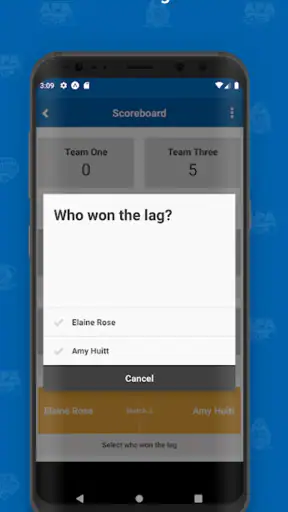
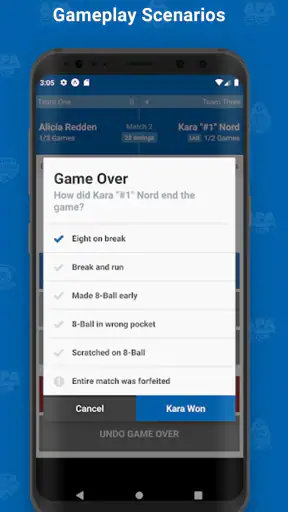
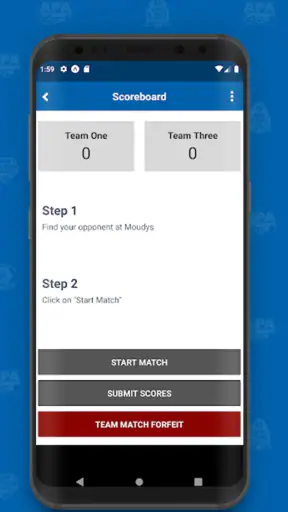
The app is intended to simplify match scoring, but first-time users may still need a short adjustment period to understand player selection, score entry, game completion, and result submission. League operators should review the workflow before using it during an official match. Checking the app’s permissions, help information, and save or synchronization behavior can also prevent mistakes during busy league nights.
Pros
- Quickly records scores for badminton
- tennis
- and other racket sports.
- Clean interface makes match tracking easy during play.
- Supports multiple players and match setups.
- Useful for casual games
- practice sessions
- and local competitions.
- Keeps scoring organized without needing pen and paper.
Cons
- May offer limited customization for unusual scoring formats.
- Some features may require time to learn for first-time users.
- Results may depend on manually entering every point correctly.
- Could lack advanced statistics for serious performance analysis.
- Compatibility and feature availability may vary by device.